 Talk on LINE
 Create a shipment →
FastShip Nationwide Home Pickup
Home pickup service nationwide
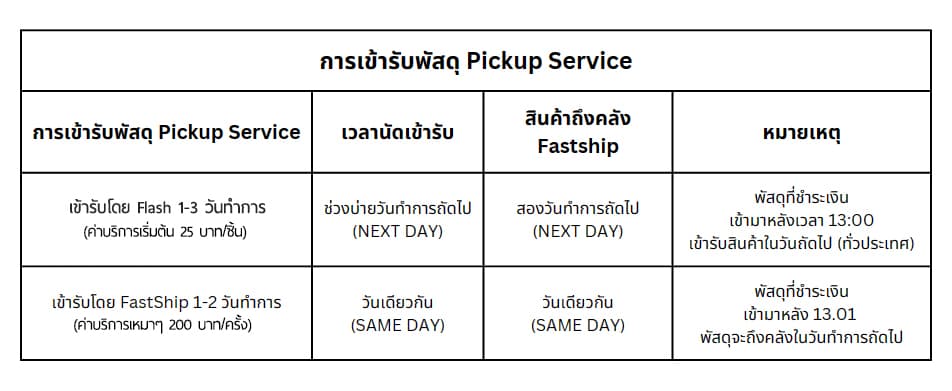
| Pickup service | Pickup time | Parcel arrives at FastShip warehouse | Remarks |
|---|---|---|---|
| Pickup by Flash, 1-3 business days (service fee from 25 THB/piece) | Afternoon of the next business day (NEXT DAY) | Two business days later (NEXT DAY) | Parcels paid for after 13:00 are picked up the next day (nationwide) |
| Pickup by FastShip, 1-2 business days (service fee about 200 THB/trip) | Same day (SAME DAY) | Same day (SAME DAY) | Parcels paid for after 13:01 arrive at the warehouse on the next business day |
Free home pickup under the following conditions
- When your shipments total 3,000 THB or more per pickup: free pickup in Bangkok and the metropolitan area
Available carriers


How home pickup works with Kerry / Flash and FastShip
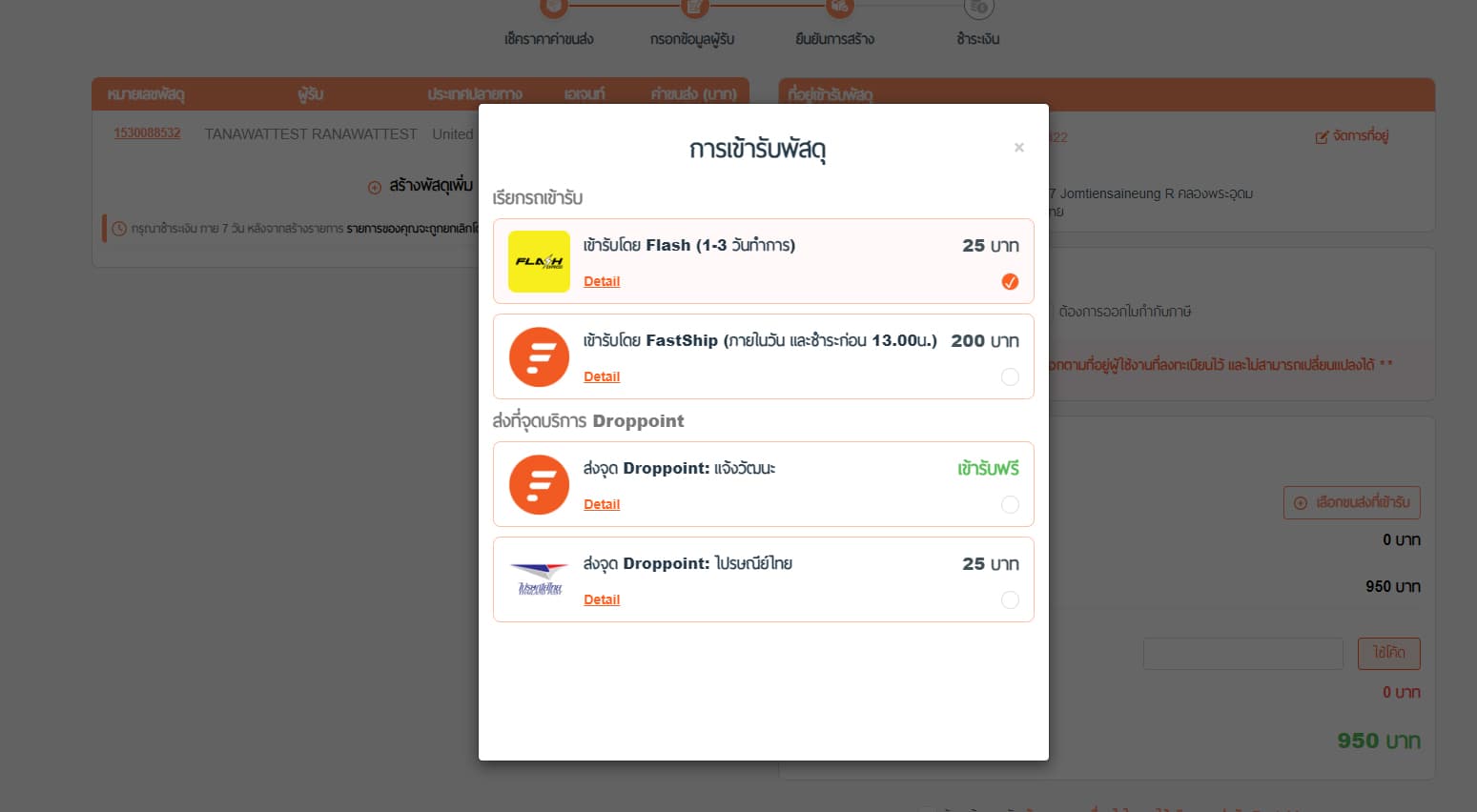
1. Choose a pickup method
Once your shipment is created, choose the carrier you want to pick up the parcel, then fill in the sender address and the pickup address.
2. Pickup cut-off times
2.1 Next-day pickup by Flash (NEXT DAY) when the shipment is created and paid before 13:00.
Staff will collect the parcel in the afternoon of the same day (business days only). If the shipment is created after the cut-off time, staff will collect it on the next business day.
2.2 Same-day pickup by FastShip (SAME DAY) when the shipment is created and paid before 13:00.
Staff will collect the parcel in the afternoon of the same day (business days only). If the shipment is created after the cut-off time, staff will collect it on the next business day.
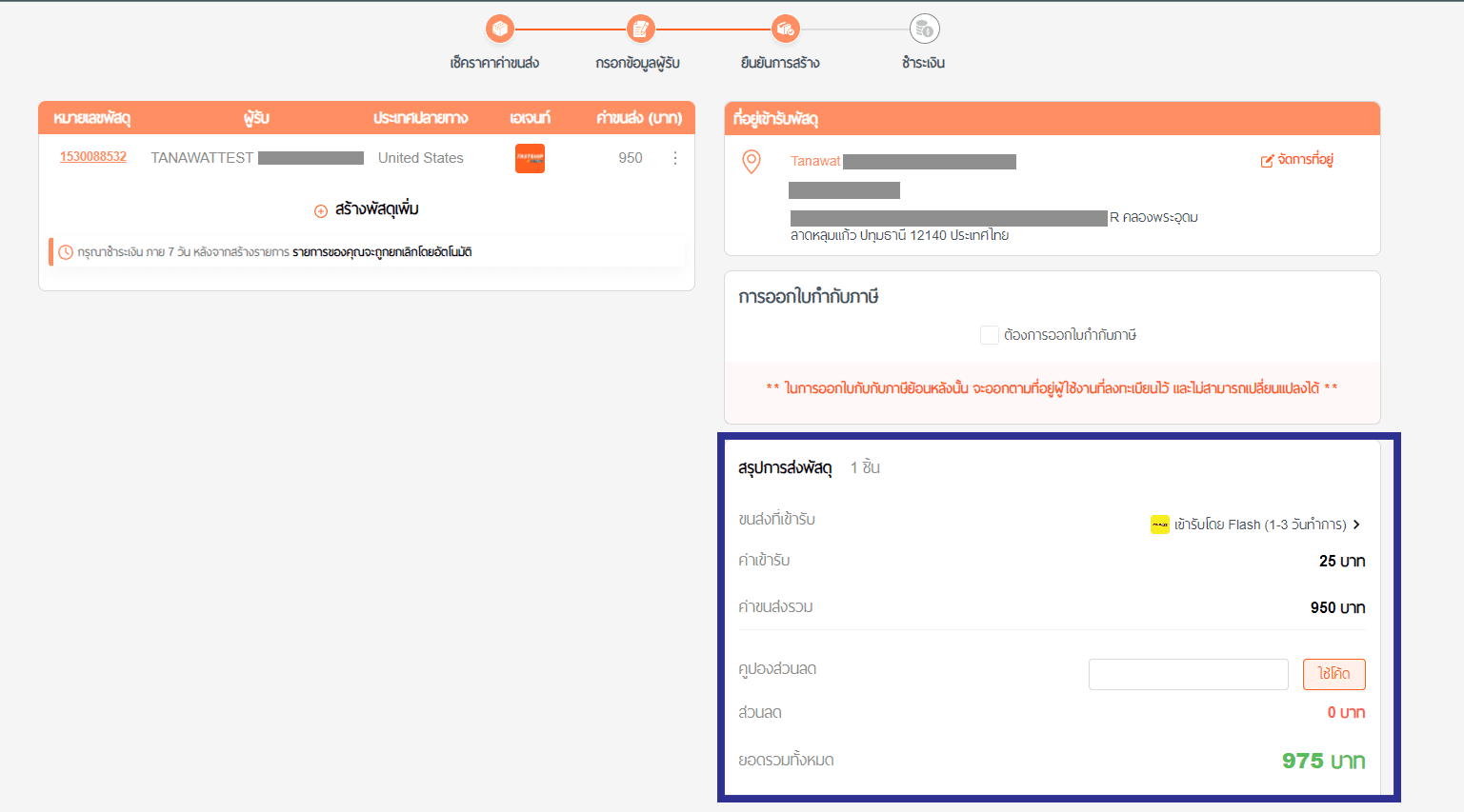
3. After choosing the pickup method, check the shipment summary
4. Choose a payment method
You can pay in several ways: QR payment, credit card, or Payoneer.
5. Confirm your order
Read the terms and conditions for shipping with FastShip, then confirm your order.
6. Pay
After confirming, pay by following the steps in how to pay
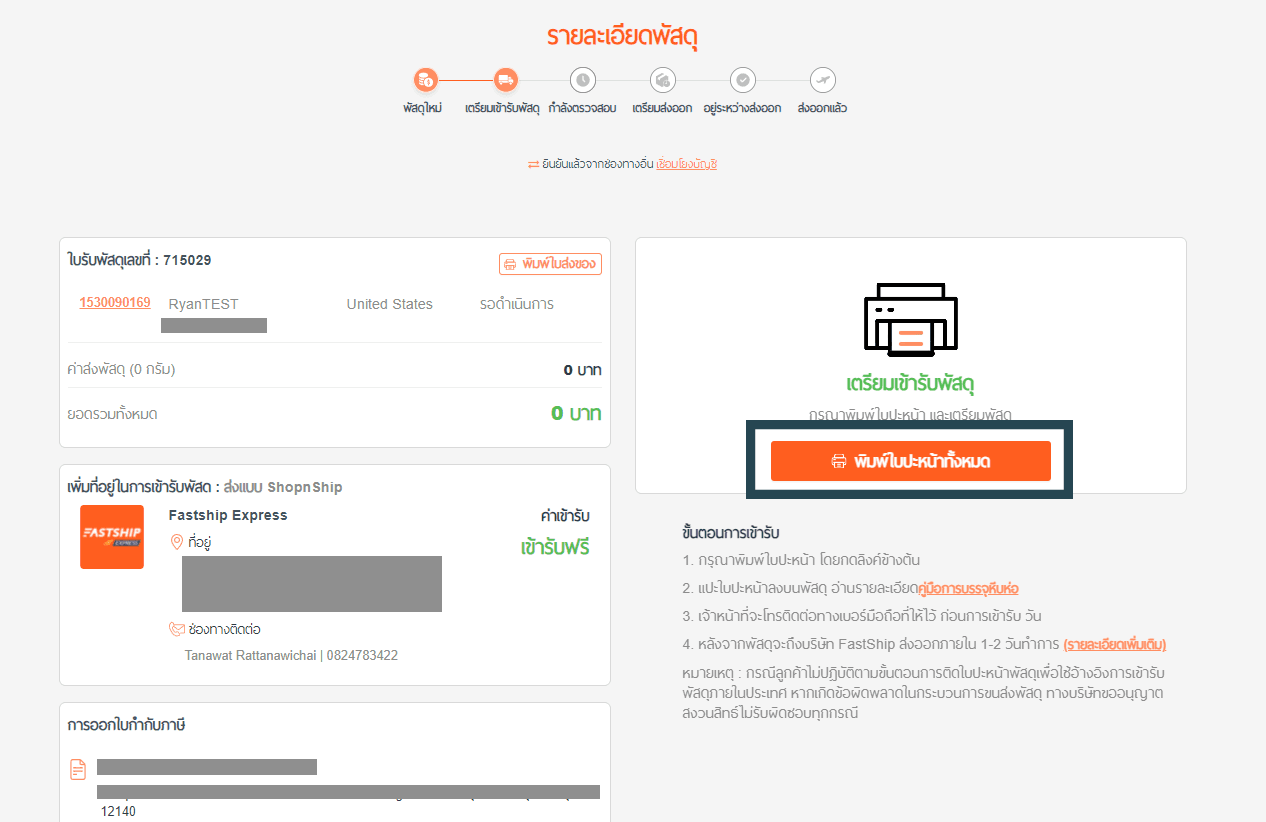
7. Print the shipping label and stick it on the parcel
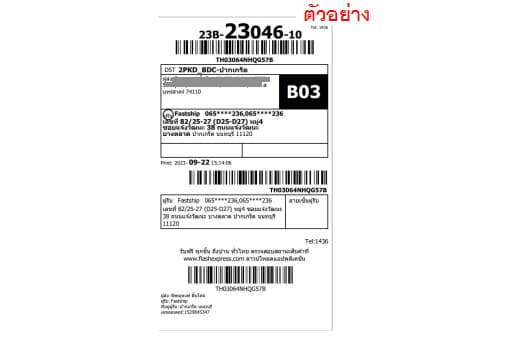
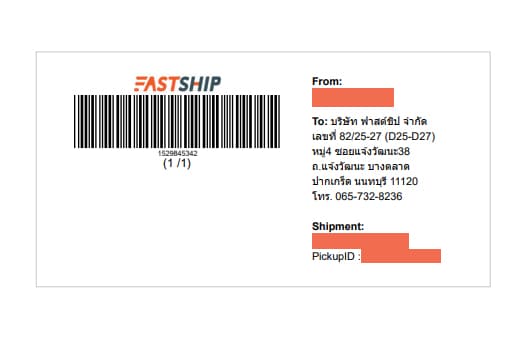
Once payment is complete, print the shipping label as shown in the examples below and stick it firmly on the parcel.
Click the “Print label” button.
Sample shipping labels from Flash, Kerry and FastShip
Flash Express
FastShip
8. Wait for the courier at your door
Get the parcel ready and wait for the courier to collect it at your home.
Note: Before handing the parcel over, always print the shipping label and stick it on the box to prevent the parcel from being misplaced or lost in transit.
For more information about pickup, or to track your pickup status, contact:
Customer Service :
Line : @fastship.co
Call : 02-080-3999
Information, details, terms, and service fees are subject to change without prior notice. Please verify the latest information prior to reference or transaction, or contact Customer Service for confirmation.